Author: jeremy

  • Cook your xmas ham as bacon – bacon toast recipe

    Cook your xmas ham as bacon – bacon toast recipe

    Recycle your Christmas ham and easily turn it into bacon by giving it a quick fry in the frypan. It’s some of the best bacon you’ll ever have 🧡 🥰

    Once your ham is opened, xmas is over and we’ve divided up the left overs amongst everyone – we got ham for dayssss. What do we do with it all? Well, luckily it makes some of the best bacon, trust me!

    Every year I swear to myself, this is how I’m gonna have my bacon from now on, all year. And then I forget and end up returning to the strip or streaky bacon in the packet. Okay this is the year, ima get ham legs for bacon.

    If you’ve ever been in a restaurant or someone’s house and ever had that most amazing bacon moment (if you eat it that is 😬), you might’ve experienced that turning point where you swore to yourself to cook it like that / buy that brand etc. Just coz it was sooo gud.

    If you’re a Perth, Western Australia local, Mason & Bird in Kalamunda make some amazing bacon. It’s thick, textured and FLAME GRILLED 😋 I can hear the sizzle now .. and they put it on some solid sourdough. 10/10.

    The strip bacon in the plastic packets in your local supermarket are vacuum packed, generally thin and pretty tasteless tbh. You might find an ok brand, or try some ham steaks or whatever. But trust me, they won’t win out on the leg ham -> bacon combo.

    Your supermarket leg ham may have been brined, or salt cured where moisture is removed. (Head to your local deli or specialist supplier for higher quality.) It may have been smoked too which doesn’t help preservation, but adds depth of flavour. Lastly it is simmered and cooked, ready for serving hot or cold.

    Let’s go HOT 🔥

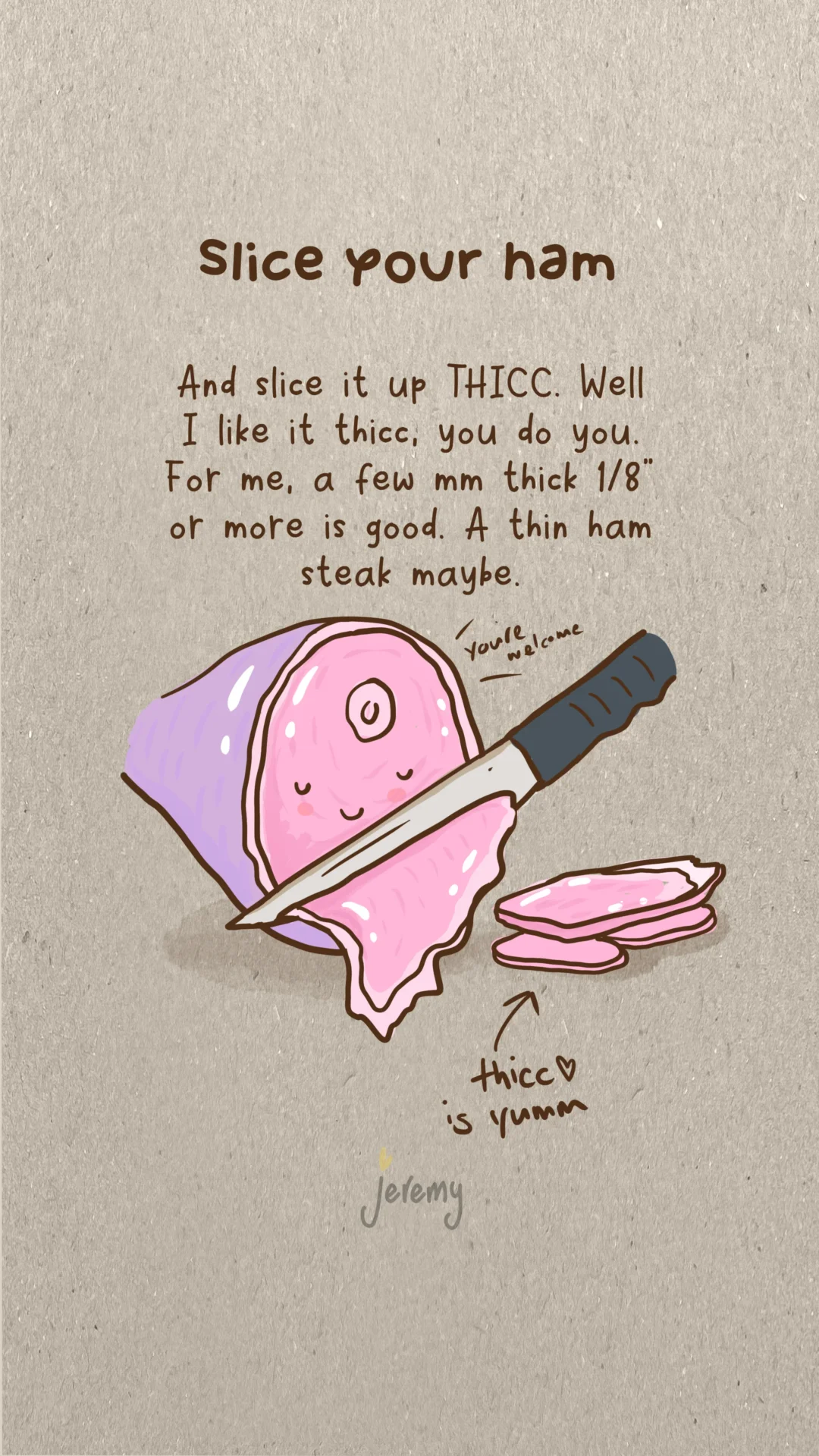
    Slice your ham off the leg or whatever left overs you have. I like mine around 4mm or 1/8 inch or so.

    Throw a tablespoon of butter into the frypan and melt it. Then add your ham slices, soon to be bacon!

    Fry it up the way you like it. You’ll find that even though it’s thicker, it’ll cook quickly because essentially, it’s already cooked. I like mine slightly crisped, and crisp the fatty portions a little more.

    Prep your toast, your home-made sourdough is great but anything will do. I half-butter before toasting and then finish with the remaining butter afterwards.

    Throw on your HOT bacon. I add some kewpie mayonnaise, a little salt, lots of pepper and sometimes some citrus – lemon or yuzu zest to offset the oil. And surprisingly, fresh basil goes well with it too.

    That’s it, so simple. You could make a full brekky out of it by adding cooked eggs, mushies and a small salad. Any extra baeconn or ham can go in the freezer.

    TRY this bacon method. It’s yum, you’ll ditch the supermarket packets for good!

    Drop a comment if you tried this or you’ve recycled your xmas ham in other ways, thanks. 

  • Presence is one of the best presents

    Presence is one of the best presents

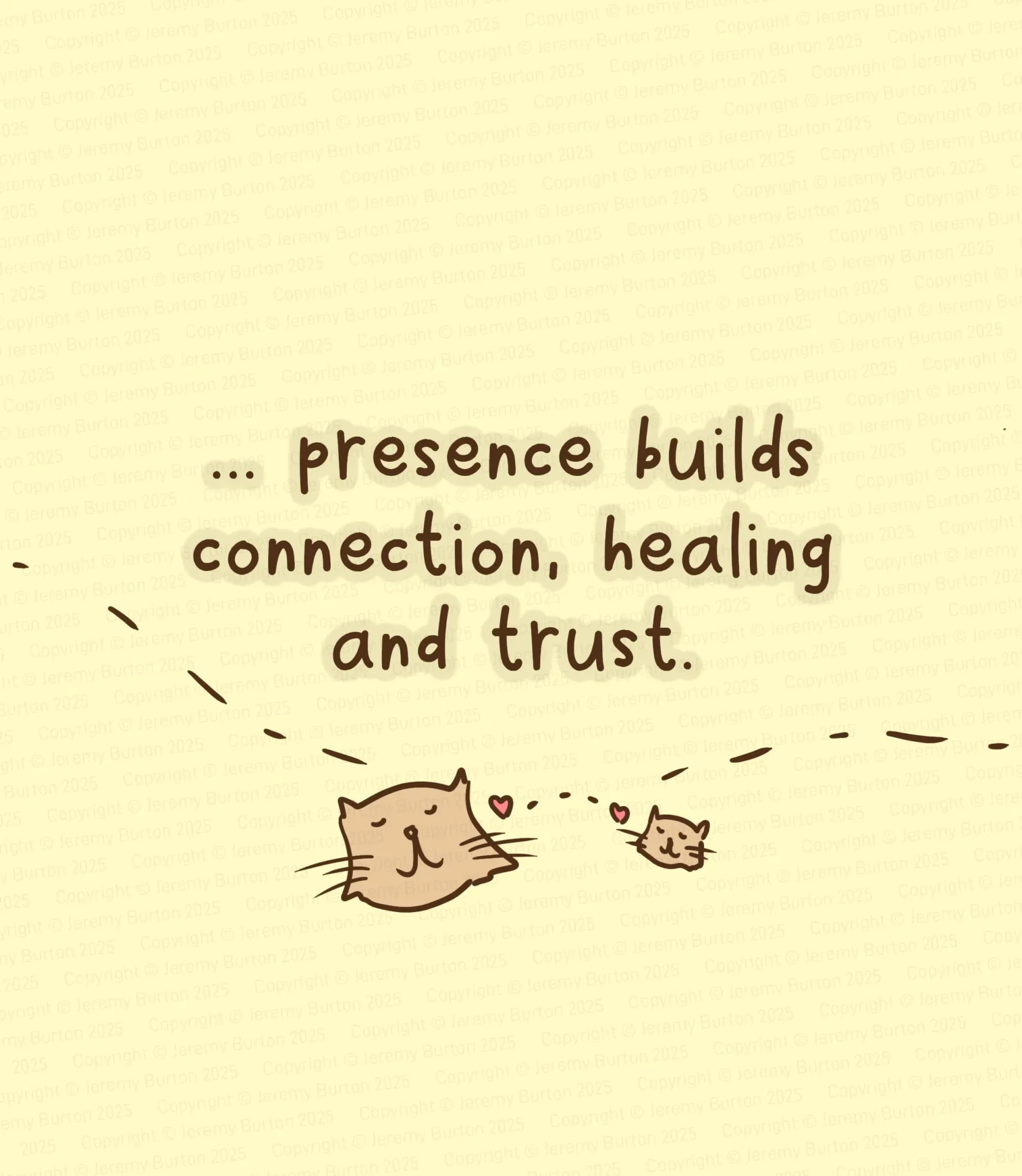
    One of the best things you can give your kids, is your presence.

    With you around, there’s opportunity to talk, or not talk and just be. Together you can share ideas, food and fun in person.

    Sometimes, it’s just sitting in silence. Sometimes, those are the most important times, just being there for when they have something to say or ask.

    It’s xmas time, maybe your presence is the best present you’ll give someone this year.

  • Domestika Plus – Be Warned

    I love education and the process of teaching. It’s the foundation of knowledge sharing and such an evolving industry. I’ve been a teacher myself and sharing knowledge, stories and lessons learnt with students and watching them have those ahah moments and seeing their growth, is an honour and a privilege.

    Online services like udemy are so good because they’re global, multilingual and allow creators to build the courses. It’s a win-win for students and teachers across the world.

    And so it’s really disheartening when one of these services taint the experience with a sneaky revenue raising model with no possibility of refund. It’s just not fair play, and goes against our foundations of encouraging creativity, exploration and the furthering of knowledge.

    To get to the point, if you sign up with https://www.domestika.org for their Domestika Plus service, they offer no refund. There will be no communication with you for 6 months prior to renewal. And no warning of any upcoming charges.

    Be warned or you’ll be caught as I have.

    Domestika offer free trials and a discounted entry into the subscription, for me it was a $159 AUD entry for one year. I got busy in life and didn’t use the service at all during that period. When the renewal date came around, I was hit with a $559 AUD charge for the year. So essentially, I handed Domestika $718 AUD for no return and no possibility of a refund.

    Customer service 101 and the use of AI, would easily enable Domestika to identify those users who have not used the service and a refund could be offered as an automated process. As a user, I likely cost Domestika a few cents or less during that one year to host my account with no service consumption.

    Unbelievable business model and ethics.

    Surely there would have been reminders, communications warning me like other services do, that an upcoming charge ($559 is a significant amount of money) is nearing. But no, after checking the last communication from them was 6 months ago.

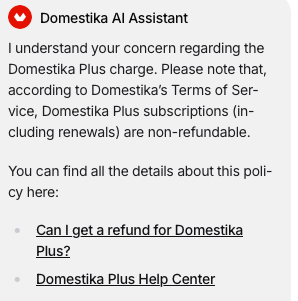
    I contacted support multiple times, and there was only an automated response saying it was in the terms, with no option to speak with a human.

    They even have a prepared option in their AI assistant linking to the help article explaining why they don’t refund. Clearly many have been caught out.

    In my time using Domestika, I completed a total of one course prior to signing up to plus. And at the time had thoughts of becoming a course creator.

    Not now, never. The people who make your business profitable are awesome, as a business you suck big time, Domestika.

    You can read more about their practices in TrustPilot – https://au.trustpilot.com/review/domestika.org and Facebook https://www.facebook.com/groups/domestika

    How to get a refund

    1. Immediately cancel your plus subscription on the Domestika website
    2. Contact Domestika support and ask for the refund (they won’t of course)
    3. Contact your bank and dispute the transaction
    4. The banks are well aware of this scam and will refund you immediately, even though you may have to be issued a new credit card

    My bank was amazing in this instance and refunded the transaction on the spot.

    If you’ve been caught by this scam, I hope you get the refund you deserve.

  • A recipe to make amazing hot chocolate

    A recipe to make amazing hot chocolate

    This is how I make hot chocolate at home and with a few simple changes, it makes your hot choco creamy with that campfire flavour.

    Preparation

    For two people, (perfect or your cutie bf, gf or whoever you share those special cuppas with) prep these:

    • 4 marshmallows
    • 2 mugs of milk
    • 1 tin of hot chocolate powder or flakes
    • 1 kitchen burner
    • 1 coffee machine (milk steamer)

    Froth your milk

    The trick is to steam it using your coffee machine 🙂 Add in most of your chocolate powder into the milk and steam it like you would a coffee. You may need to do it twice for two mugs.

    Toast your mallows

    Grab your kitchen burner and burn the marshmallows. Buuuurrrrn them 🔥🔥 I usually do this on aluminium foil so they’re easy to pick up once they’re toasted and soft.

    Combine your drink

    Pour out your steamed milk into the mugs.

    Chop up some chocolate bits or just use choco flakes and add them into your steamed milk.

    Then just add the remaining choco powder, your marshmallows and whatever else you want into your mugs – yiiii ~~


    Try it, it’s the fireee yummo campfire hot chocolate you’ve been craving! 🔥 

  • Why I moved my shop and blog from Shopify to WordPress

    Why I moved my shop and blog from Shopify to WordPress

    I moved my website from Shopify to WordPress hosted in AWS (Lightsail). There were many reasons why, but the two biggest reasons were the blogging capability and spam management.

    WordPress has been my go to for years for blogs and when I started my first one back in Japan, it was WordPress on a local Japanese hosting service. WordPress is easy, intuitive and just does what I need it to.

    With art sales in mind when I setup my artist site jeremyburton.au, I decided to go with what seemed like the best choice at the time, Shopify. It has blogging and is rated generally as the best ecommerce platform.

    It was easy to setup, you can register domains names in it and for the most part, it was a seamless process. The setup was easy and I thought I’d found a great solution, I even signed up for their affiliate program and learnt how to code the templates. Creating products in it was fairly straight forward, it handled digital downloads too (no need for Gumroad etc) and I eventually got to the stage of having multilingual product pages setup for my books.

    Blogging in Shopify

    The issues I eventually ran into were mainly small. But then the blogging started to really frustrate me. Blogs sell and besides that, I want to write. Although it’s quick to knock out an article in Shopify, any kind of custom layout and fine design control just isn’t possible. The blogging functions have no template control, so there’s no way to control how images and copy flow in the article.

    Being spoilt previously for so long with WordPress, Shopify’s blog system started to drive me crazy. Quality content for everyone is different, but I love a good blog human-written by someone explaining their passion, trip of a lifetime or an amazing thing they’re selling.

    Writing things out for me is not just about selling art or other products, but about documenting my journey and clearing my brain. I love writing and clearing that head space, it’s so freeing.

    So there it is, that’s the first major reason Shopify started to turn me off. Another minor one was how products are managed in the backend. Bulk actions are really not there yet and there were lots of other little niggly things.

    A native integration with Google Analytics would be great, and the ability to use Google’s Site Kit.

    Spam Management

    So, everything was going ok (besides the blog issues) with Shopify until one day I started getting targeted by a bot that would create three new customer accounts a day on my site. So like anyone would, I manually deleted them and started closing bot access off slowly, turning off registration forms and whatever I could find. I even tried disabling account creation but the bots would get past that too.

    The bots started purchasing digital products using fake credit cards. Their trick was they would then claim the product undelivered (of course it was delivered, it was a digital download) and then claim a chargeback to Shopify making a profit of $28 per chargeback.

    With low volume, it was annoying but manageable. But it went on and on and so it was time for some support. So I reached out to Shopify, after all, we’re paying $50+ AUD per month, surely they would have a solution.

    Their answer was, yes you can fix this by buying 3rd party anti-fraud plugins.

    Yeah, naur. I’m not paying more money for unsecured plugins to fix security issues with your core product. When you’re being hit by bots, it makes it very difficult to manage real purchases and focus on growth.

    So as the spam and annoying fraud purchases continued to trickle through one day, I’d had enough. Time to shift back to a platform I’d have control over and would scale for the next 10 years.

    Moving to WordPress / Amazon Web Services (AWS)

    Time to relearn AWS and get back to WordPress. I’ve previously administered services hosted in AWS so was somewhat familiar with it and decided to spend the time jumping back in.

    The major business issue to solve when you’re hosting your own shop / website is how to manage the ecommerce. There are plenty of alternatives to Shopify like Squarespace, WooCommerce and others that you can just switch on and start. But if you’re hosting your own, then you need to integrate a card / cart service.

    If you sell digital or physical products, you’ll likely end up needing to integrate things like shipping, post, weight calculators and payment management. There’s lots of options and some work well, some will limit you and you find all of that out by jumping in and doing the research.

    For me, WooCommerce for WordPress was the solution for managing purchases and it has connections to Stripe, PayPal etc.

    I used Printumo for my on-demand canvas prints. They have integrations for Shopify and Etsy available, with WooCommerce, Squarespace, Amazon etc coming soon. I think generally that’s what you’ll find with any kind of print or produce on-demand service, if they support anything they’ll likely have Shopify and maybe one or two others.

    So do your research on what services you need to connect to if you’re considering going this route of hosting on AWS.

    Challenges

    Challenges I came up against were:

    • Technical aspects of relearning AWS. It wasn’t so bad, I had it all working in a couple months (technical level medium)
    • Transferring my domains to AWS from GoDaddy and others. Honestly the process, the automated emails from AWS and Route53 (AWS domain manager) was pretty confusing. One of my domains was accidentally disabled because I missed one of the automated emails
    • Setting up WooCommerce was a bit of work. I tested PayPal and in the end went with Stripe for payments, it was just easier
    • Migrating all of the content out of Shopify to WordPress. In the end I just started fresh and recreated all of the products because the imports from Shopify into WooCommerce would get all garbled. It would be a nightmare tbh to migrate a large commerce site from Shopify to something else

    Conclusion

    When I was using Shopify, I was recommending it as an easy solution for people who were just starting or looking to change platforms. If you don’t have any experience in building websites, or ecommerce – it makes sense to use something like Squarespace. They’re just easy.

    But if you’re looking to have more control over how your content is managed and the technical aspects, WordPress + AWS is a solid solution.

    My site is not fully there yet, and life has taken over for a bit. Moving the sites wasn’t too bad really in the end, and I’m sooo much happier! No more spam and I can get back to writing and focusing on my art instead of fighting the platforms.

    Leave a comment if you have thoughts or experience in Shopify or WordPress.